How to Add Custom Progress Bar For YouTube and Apply YouTube Theme
This guide shows how to quickly add Custom Progress Bar For YouTube, apply your own YouTube Theme, and use YouTube Customize to style your progress bar and YouTube player.
Open the Custom Progress Bar For YouTube Catalog
Open our website or click the extension icon in the Chrome/Edge toolbar. In the popup, press MORE to access the style catalog.
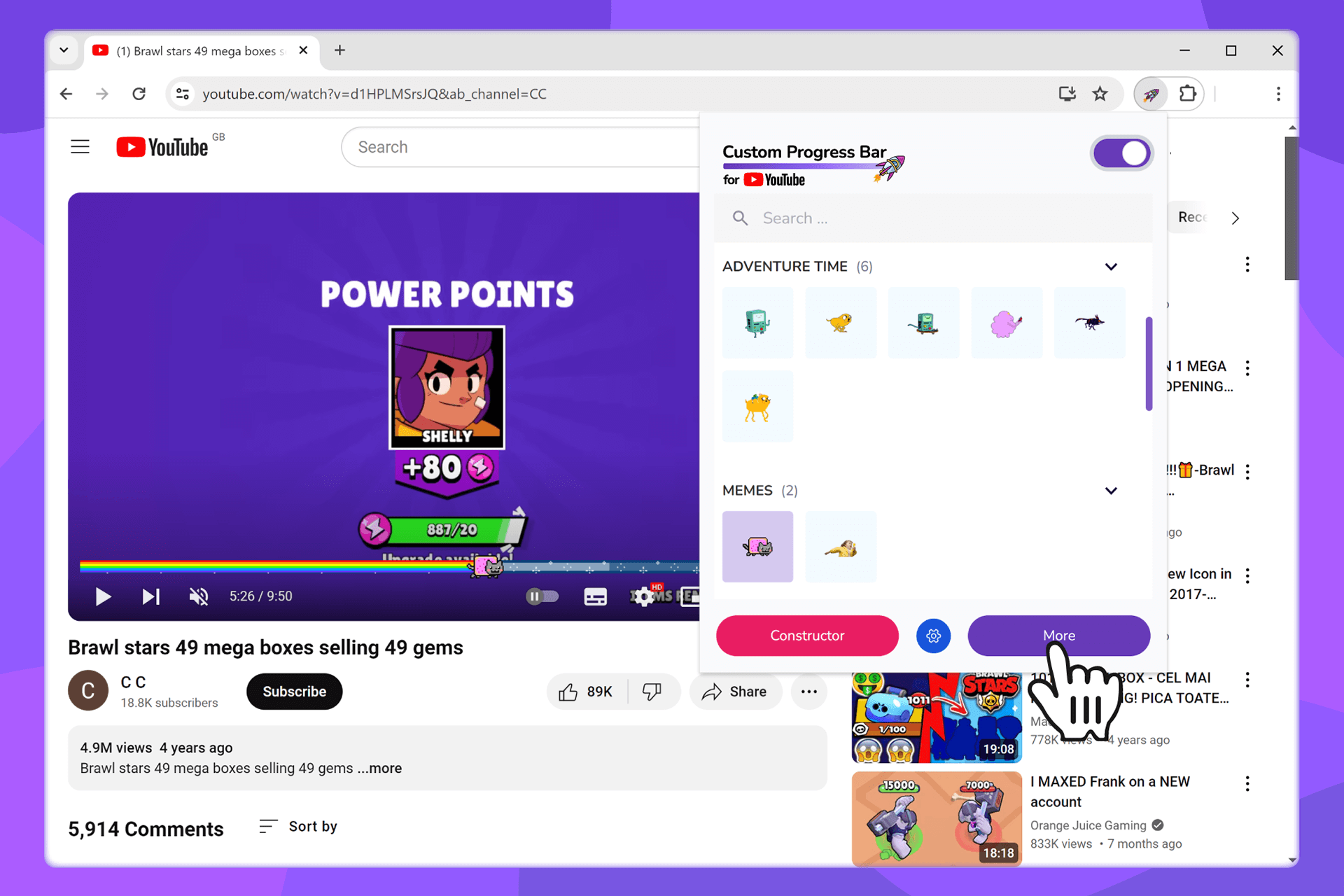
You can also go directly to the progress bar catalog.
Add New Styles (YouTube Theme / YouTube Customize)
On the catalog page, hover over a style card and click Add (or Add to extension). The chosen YouTube Theme will instantly appear in your extension.
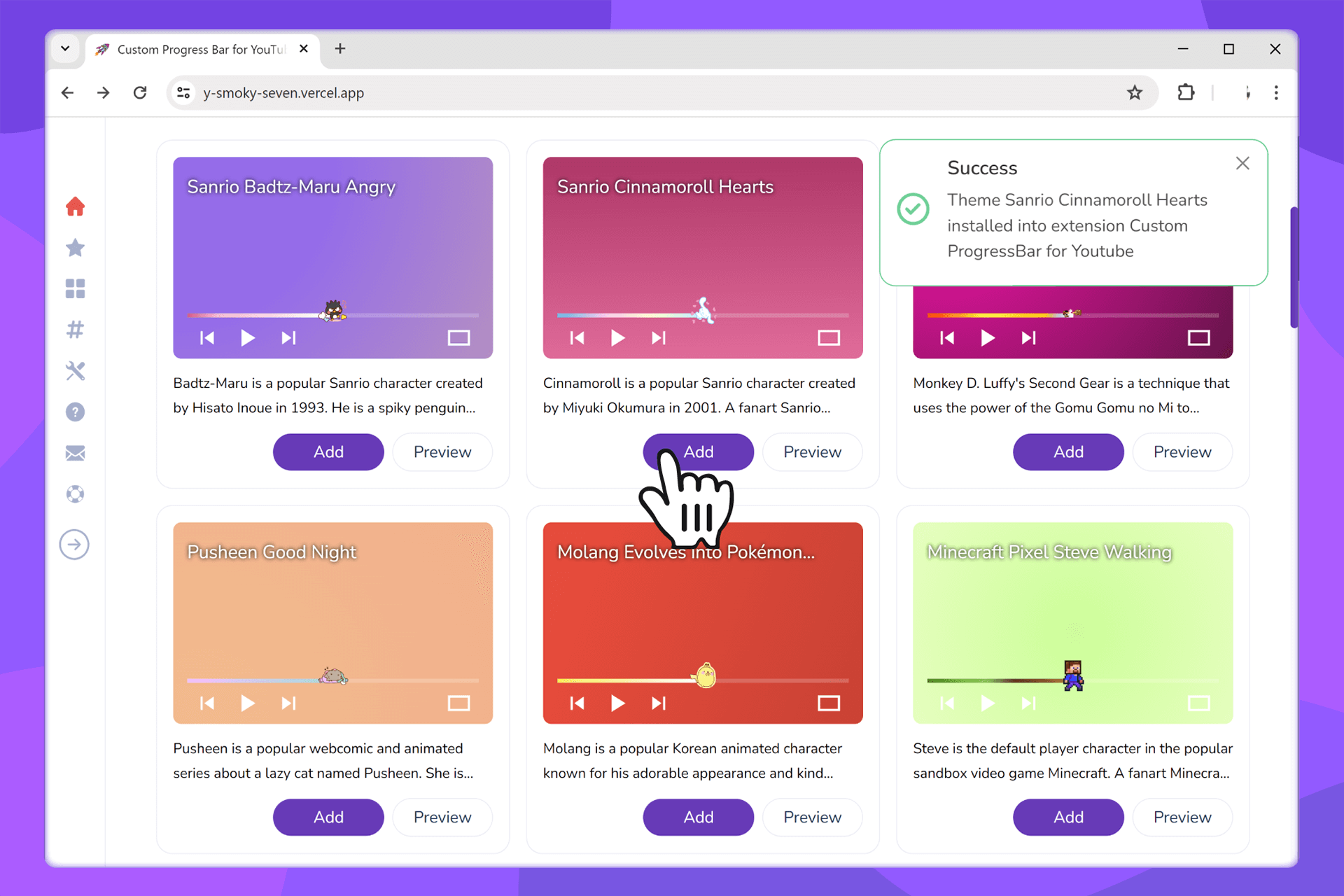
Want your own design? Create it in the Constructor, save it, and apply it as a Custom Progress Bar For YouTube.
Activate a Custom Progress Bar in the Extension
Open the extension popup and select any added style. The YouTube player design updates instantly - that’s how YouTube Customize works for progress bar and theme elements.
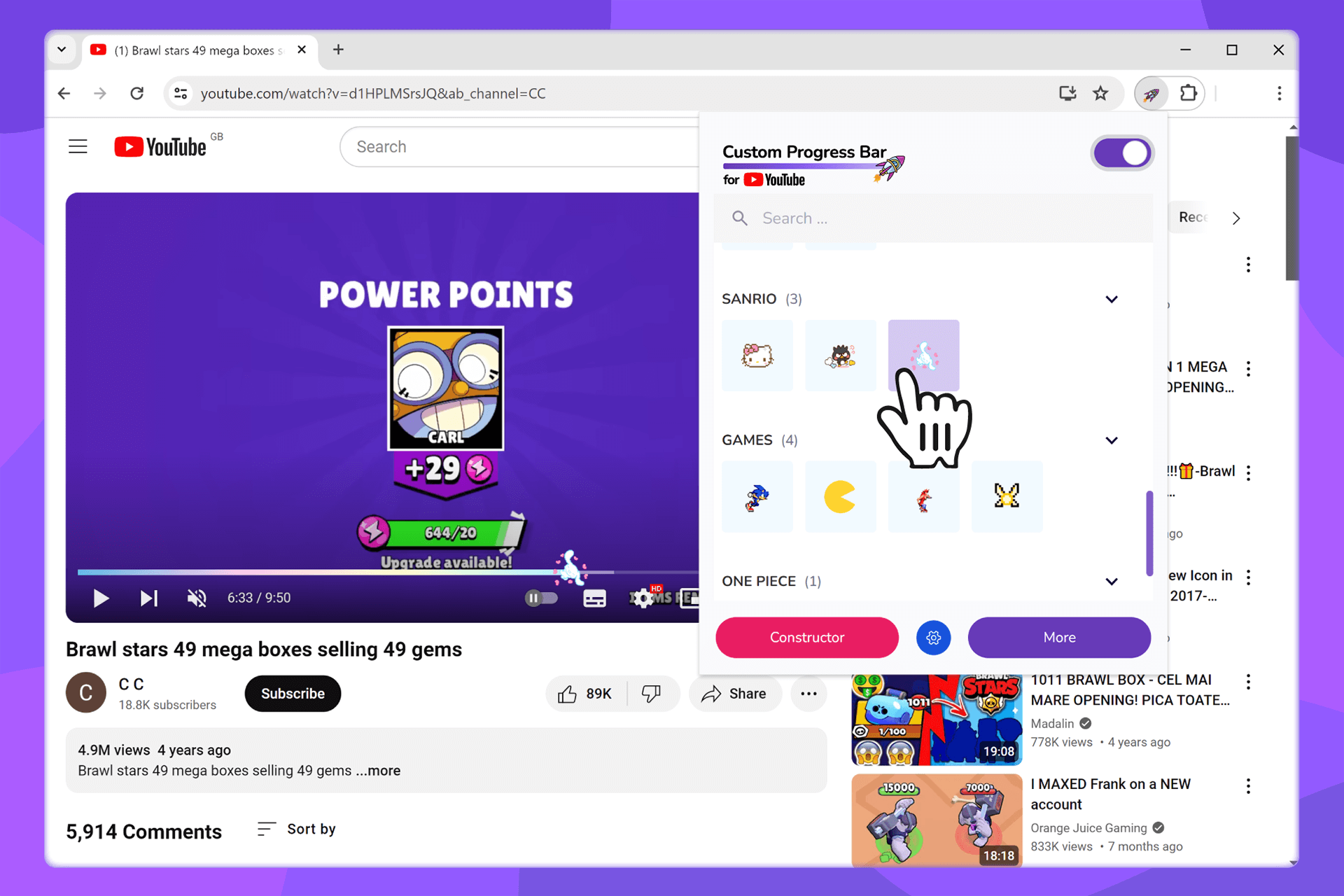
Manage Your Progress Bar Styles
Edit or remove presets on the Manage Progress Bars page.
- Rename: helps quickly find favorite themes.
- Reorder: pin the most used styles at the top.
Tips for a Perfect YouTube Theme
- Contrast: choose colors visible in both light and dark YouTube themes.
- Animations: heavy effects may lower FPS - test on real videos.
- Quick access: pin the extension icon (puzzle → Custom Progress Bar → pin).
- Combinations: mix gradient backgrounds with minimal sliders for a clean modern look.
Compatibility & Requirements
- Supported browsers: latest Chrome and Microsoft Edge.
- Requires access to Chrome Web Store or Edge Add-ons.
- Other YouTube scripts/styles may affect appearance.
Privacy & Permissions
The extension works locally in your browser with minimal permissions - only to change progress bar appearance on supported sites. See Privacy Policy and Terms.
Update or Remove
- Update: usually automatic via the extension store.
- Remove: right-click the icon → Remove. Saved styles remain in your web account.
Frequently Asked Questions (FAQ)
What is Custom Progress Bar For YouTube?+
A collection of custom progress bar styles that change the YouTube player look within the YouTube Theme.
Is 'Youtube Cutomize' the same as 'YouTube Customize'?+
Yes, it’s a common misspelling. Our extension provides full customization regardless of how it’s typed.
Why is the Add button disabled?+
Make sure the extension is installed and enabled. If using Incognito mode, allow it in private mode.
Why didn’t the style appear in the list?+
Refresh YouTube and try again. If other styles/scripts conflict, temporarily disable them.
My styles disappeared after browser update+
If cache/data was cleared, re-add from catalog or from saved presets in Constructor.
Troubleshooting
- Pin the extension icon and make sure it’s enabled.
- Refresh the page and try again.
- Check the service status or contact Support.
Want more styles? Visit the catalog or create your own in the Constructor.