How to Install Custom Progress Bar For YouTube in Chrome/Edge
This extension adds stylish progress bars and themes to the YouTube player. Follow this guide to install Custom Progress Bar For YouTube, enable your YouTube Theme, and start YouTube Customize in minutes.
Requirements
- A modern Chrome or Microsoft Edge browser.
- Access to the extension store (Chrome Web Store or Edge Add-ons).
Install Custom Progress Bar For YouTube
1. Open the extension page in the store
Go to the extension page in your browser’s store. On that page you’ll see what the YouTube Theme can do and examples of YouTube Customize.
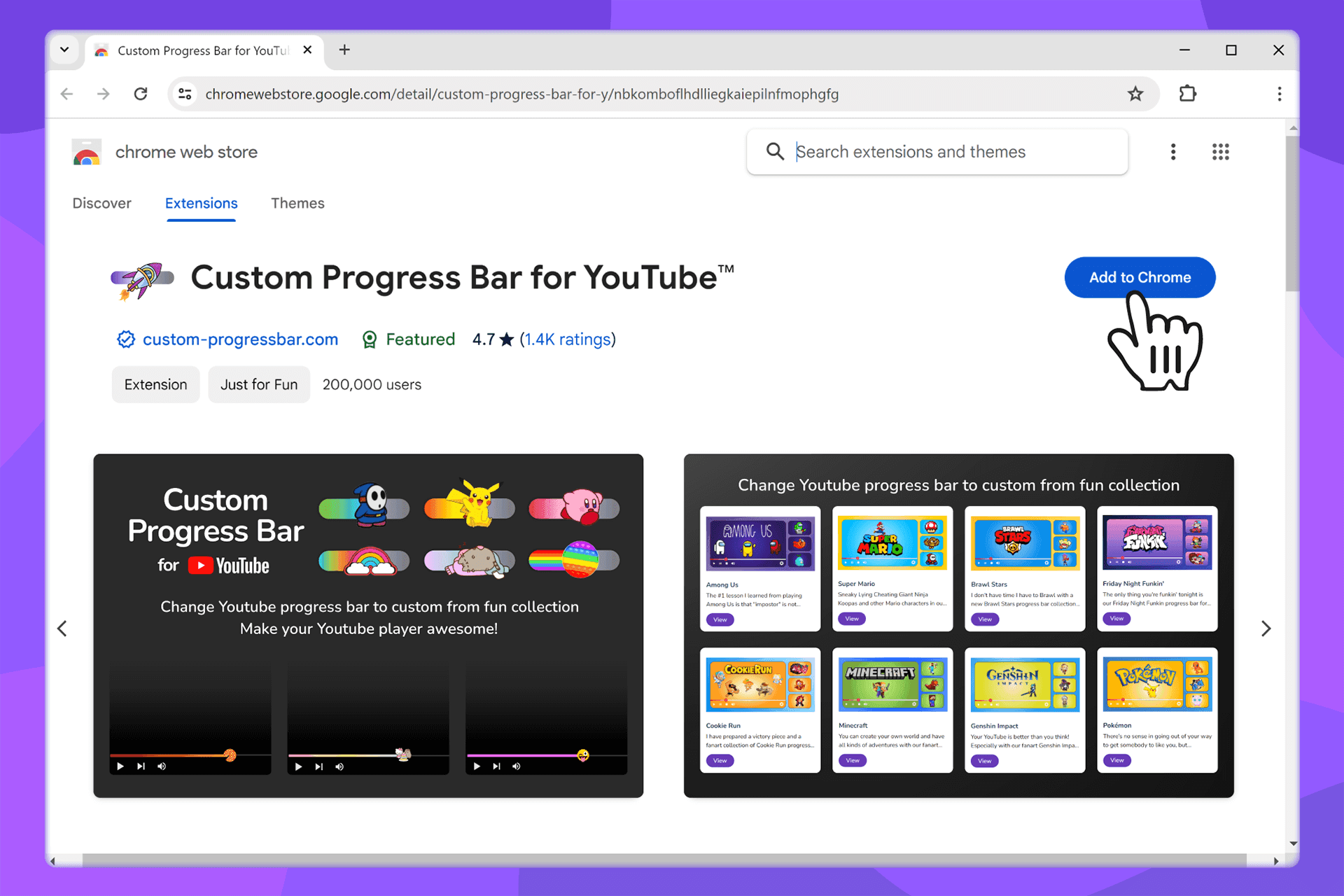
2. Click Install / Add
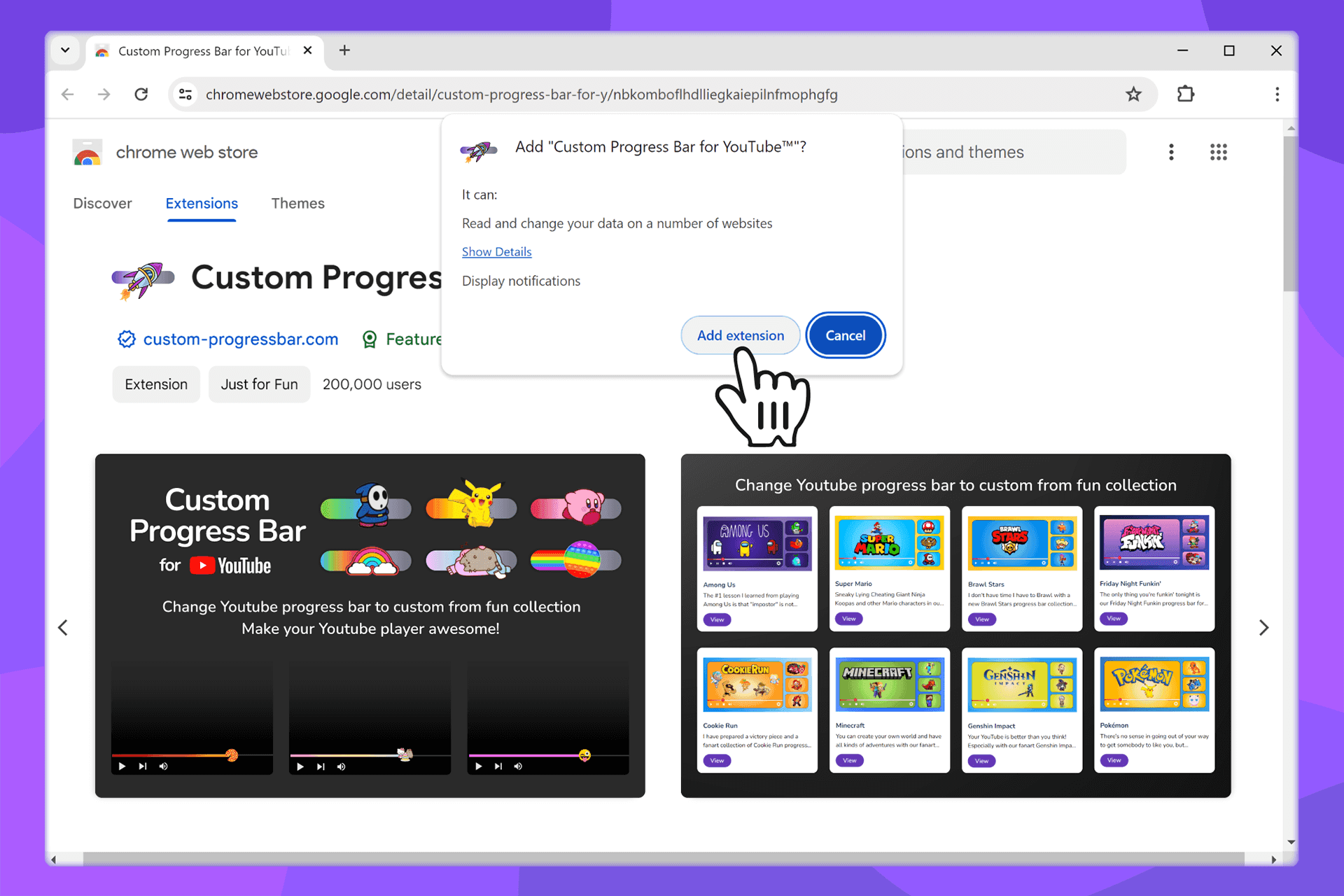
Confirm in the system dialog - click “Add/Install extension”. Within a few seconds Custom Progress Bar For YouTube will appear in your extensions list.
Pin the Icon for Quick Access
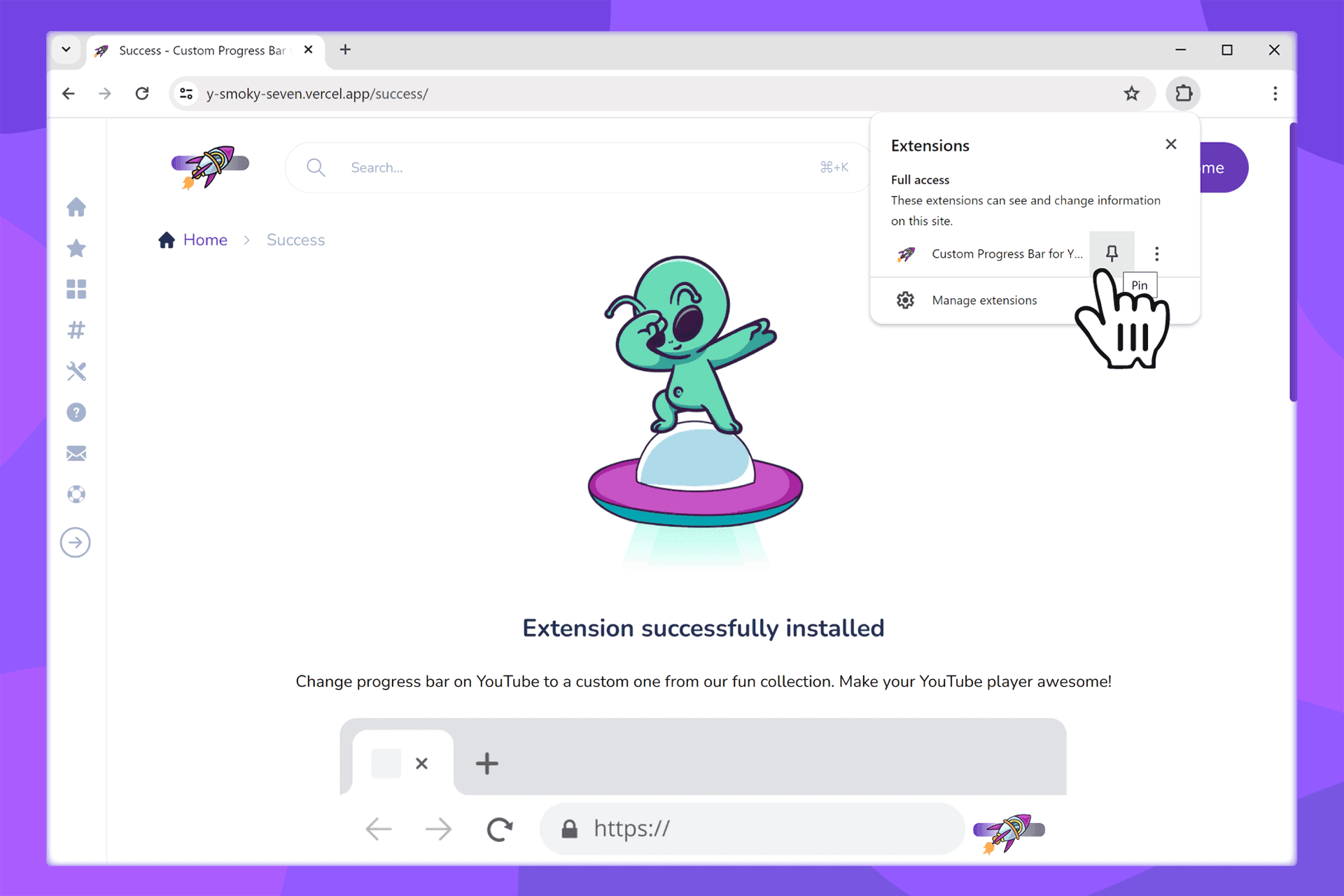
To switch YouTube Theme instantly, pin the icon: <br/> Chrome / Edge: click the puzzle icon → find Custom Progress Bar → click the pin to keep it on the toolbar.
First Run: Pick a YouTube Theme
After installation, a /success (Welcome) page opens. Choose a progress-bar theme in the style catalog or go to Configure for fine-tuning - a quick start for YouTube Customize.
If It Doesn’t Install
- Make sure you have access to the Chrome Web Store or Edge Add-ons.
- Update your browser to the latest version and try again.
- Temporarily disable other extensions that may conflict with YouTube customization.
- Contact Support if the issue persists.
What’s Next
- Browse the YouTube progress-bar style catalog.
- Create your own preset in the Constructor.
- Add additional progress bars to the extension.


